Most browser games are now played on a phone, and physics games adapt to that better than almost any other genre — but only if three things are handled properly: where the controls go, how the simulation is budgeted, and how the play area is sized.
Get those wrong and a good physics game becomes unplayable on the device most people will open it on. This guide covers what changes on mobile, from a player's perspective and from a builder's.
Why physics games suit touch
Touchscreens are bad at precise, sustained directional input and good at gestures. That happens to line up unusually well with how physics games ask you to play.
- Drag-and-release aiming is a natural gesture and maps perfectly onto slingshot mechanics. Bounce Lab needs no adaptation at all.
- Tap-to-place works identically with a finger and a mouse. Every puzzle game on this site is fully playable by tapping.
- Tilt-style steering maps onto hold-and-drag. Marble Motion tilts towards wherever you hold.
- Hold-to-charge is a single sustained contact — easier on a touchscreen than on a keyboard, if anything.
What does not adapt well is anything needing simultaneous precise directional input plus a separate action, which is why platformers are harder to port than puzzles.
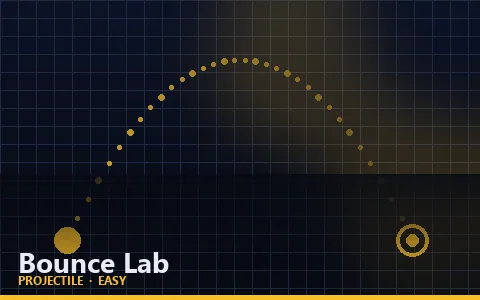
Try it: Bounce Lab
Fire an elastic orb into a chamber and clear the targets with the bounces you have left.
Play Bounce LabWhy controls belong outside the play area
The most common mistake in mobile game design is drawing the controls on top of the game. It is tempting because it saves space, and it is wrong for four separate reasons.
- Your thumb covers the game. Overlay controls sit exactly where your hand is, hiding the part of the screen you need to watch.
- They are invisible to assistive technology. A button drawn on a canvas is pixels. A real HTML button has a name, a role and a state, and a screen reader can announce it.
- They cannot be styled by the system. Real buttons inherit focus rings, high-contrast modes and text scaling for free.
- They break keyboard use. Canvas-drawn controls cannot be tabbed to.
Every game on this site renders its touch controls as real buttons in a strip below the canvas. They synthesise the same key events the keyboard produces, so there is exactly one input path and no duplicated logic.
The same rule applies to advertising
An ad placed over a game canvas is both a usability failure and a policy violation on most ad networks. Ad slots on this site sit between content sections, never over the play area, the HUD or the controls.
One code path for mouse, touch and pen
Historically, handling both mouse and touch meant writing everything twice and then fighting the browser's synthetic mouse events. Pointer events replaced that with a single unified model.
pointerdown,pointermoveandpointerupfire for mouse, touch and stylus alike.pointerTypetells you which it was, on the rare occasions that matters.setPointerCapturekeeps events coming even if the finger leaves the element, which is essential for drag gestures.- Multiple simultaneous pointers each get their own id, which makes multi-touch straightforward.
The one piece of CSS that matters alongside them is touch-action: none on the play area. Without it the browser interprets a drag as a scroll or a pinch-zoom, and the game gets roughly half the events it needs.
The mobile performance budget
A mid-range phone has perhaps a fifth of the sustained compute of a desktop, a much smaller memory bandwidth, and a thermal budget that will throttle it after a few minutes of steady load.
For a physics game, that constrains four things specifically.
Body count
Collision cost grows with the square of the number of bodies unless a broad phase intervenes. A uniform spatial hash keeps it manageable, which is what lets Particle Push run thirty-four interacting particles on a phone.
Particle count
Visual particles are cheap individually and expensive in aggregate. A hard pool cap — 260 on this site — plus recycling rather than allocating keeps them off the garbage collector's radar, which matters because a collection pause is a visible stutter.
Pixel count
A modern phone may report a device pixel ratio of 3 or 4. Rendering at full native resolution means pushing nine or sixteen times as many pixels as at 1×, for a difference nobody can see on a moving game. Capping at 2× is the standard compromise.
Allocation
Creating objects inside the game loop produces garbage, and garbage collection produces frame drops. Reusing vectors and pooling short-lived objects is not premature optimisation in a 60fps loop — it is the difference between smooth and stuttering.
| Technique | Cost saved | Trade-off |
|---|---|---|
| Spatial hash broad phase | Large at high body counts | Slightly slower below ~40 bodies |
| Device pixel ratio cap at 2 | Up to 75% of fill cost | Marginally softer on 4× displays |
| Particle pooling | Garbage collection pauses | Fixed memory ceiling |
| Fixed timestep with step cap | Prevents spiral of death | Slow motion under extreme load |
Layout, orientation and screen size
A physics game's play area has to work at aspect ratios from 16:10 down to 1:1, and it has to handle the device rotating mid-game.
Adaptive rather than letterboxed
One approach is to fix the game's logical resolution and letterbox it. It guarantees identical gameplay and wastes a lot of a phone screen on black bars.
The approach used here gives each game the actual dimensions of its container and expects it to lay out relative to them. Levels are generated from the available width and height, so a narrow screen gets a level that fits rather than a cropped one.
Handling rotation
A rotation changes the canvas dimensions, which for a procedurally laid-out game can invalidate positions. Every game here receives a resize callback and redraws immediately, even while paused, so a rotation never leaves a blank canvas.
Landscape phones
In landscape on a short screen, a sticky header plus a play area plus a control strip does not fit. The stylesheet unsticks the header below 520 pixels of height and caps the play area at 82% of the viewport, which keeps the controls reachable.
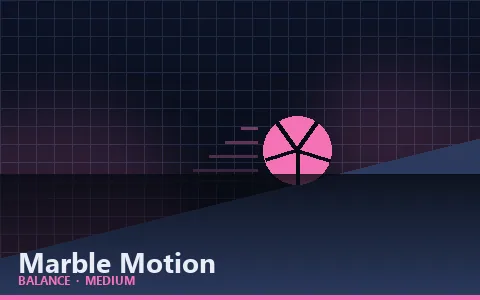
Try it: Marble Motion
Tilt the whole board and roll a marble past the holes to the exit.
Play Marble MotionBattery, backgrounding and interruptions
A phone game is interrupted constantly — notifications, calls, the screen locking, the user switching apps. Handling that well is a large part of what makes a mobile game feel finished.
- requestAnimationFrame stops in a hidden tab. That is automatic and saves battery, but it also means the frame delta on return is enormous.
- Clamp the frame delta. Without a cap, the first frame back would simulate several seconds at once and objects would teleport through walls.
- Pause on visibilitychange. Every game here pauses automatically when the tab is hidden, and says so on the pause overlay so the player is not confused.
- Reset the accumulator on resume. Otherwise the backlog of un-simulated time floods the first frame.
The same handling matters for the window losing focus, which happens whenever a notification steals it. Input state is cleared at the same time, so a key that was held when the game lost focus is not still held when it returns.
Accessibility on a small screen
Mobile amplifies every accessibility problem. Targets are smaller, text is smaller, and the input device is a finger with no hover state. A few decisions cover most of it.
Touch target size
A control smaller than roughly 44 by 44 device-independent pixels is genuinely hard to hit reliably. The touch buttons here are 56 pixels tall on phones and 52 on the narrowest screens, which is comfortably above that floor even with imprecise thumbs.
Instructions outside the canvas
Everything drawn on a canvas is invisible to a screen reader — it is pixels, with no structure. That is why every game page here repeats its controls as a real HTML list below the play area, and why the game's objective, scoring and mechanics are prose on the page rather than text drawn on screen.
It is also simply useful. A player who missed an instruction during the intro can read it without restarting.
Never colour alone
Surfaces in Friction Runner differ by colour, by texture pattern and by a printed coefficient. Any one of the three is enough to tell them apart, which means the game works for a player who cannot distinguish the colours.
Respecting reduced motion
A visitor who has asked their system to reduce motion gets no decorative animation, no hover transforms and no screen shake. Gameplay animation is exempt — a physics game with no motion is not a physics game — but nothing outside the play area moves.
| Requirement | How it is met here |
|---|---|
| Touch targets ≥44px | Control buttons are 52–56px tall |
| Instructions available as text | Controls list and full prose below every game |
| Not colour-alone | Surfaces carry texture and printed values too |
| Keyboard operable | Every game is fully playable from the keyboard |
| Respects reduced motion | Decorative animation and screen shake disabled |
| Visible focus | Focus outlines never removed, 3px accent ring |
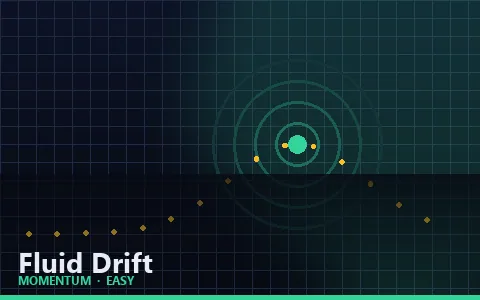
Try it: Fluid Drift
Ride a drifting current down a channel. Your thrusters are weak; the water is not.
Play Fluid DriftKey takeaways
- Physics games suit touch because drag, tap and hold gestures map naturally onto their mechanics.
- Touch controls belong in real HTML buttons below the canvas, never drawn over the play area.
- Pointer events unify mouse, touch and pen into one code path; touch-action: none is essential.
- Cap device pixel ratio at 2 — beyond that you pay for pixels nobody can distinguish.
- Pool particles and reuse objects; garbage collection pauses are visible frame drops.
- Clamp frame deltas and pause on visibility change, or a backgrounded tab teleports objects on return.
Frequently asked questions
Can I play physics games on my phone?
Yes. Every game on this site supports touch, and games needing directional control show real on-screen buttons below the play area rather than overlaying the canvas.
Why are the touch buttons below the game rather than on it?
So your thumb does not cover the action, and so the buttons are real HTML elements that screen readers can announce and that inherit system accessibility settings.
Do physics games drain battery?
Less than you might expect. requestAnimationFrame stops entirely when the tab is hidden, and these games cap rendering resolution and particle counts specifically to limit sustained GPU load.
Why does the game pause when I switch apps?
Because the browser stops the animation loop for hidden tabs, and resuming with several seconds of un-simulated time would cause objects to teleport through walls. Pausing is the honest way to handle it.
Do physics games work in landscape?
Yes, and the layout adapts. On short landscape screens the header stops being sticky and the play area is capped so the controls stay reachable.
Why is the game a different shape on my phone?
Because the play area adapts to the screen rather than being letterboxed. Levels are generated from the available width and height, so you get a level that fits rather than a cropped one.
Are my scores saved on my phone?
Yes, in that browser's localStorage. They are not tied to an account and they do not sync, so a score set on your phone will not appear on your laptop, and clearing your browser data clears them.
Does the game keep running if I lock my screen?
No. The browser stops the animation loop entirely for hidden tabs, which saves battery. The game pauses automatically and says so, rather than resuming several seconds into a simulation you did not see.
Why do some games not show touch buttons?
Because they do not need directional input. Games played entirely by tapping, dragging or holding on the play area use the canvas directly, since adding buttons for gestures that already work would only take up space.
Can I play with a Bluetooth keyboard on a tablet?
Yes. Every game is fully keyboard-operable and the keyboard path is the primary one — touch buttons synthesise the same key events, so both work simultaneously without conflict.
References
Physical concepts in this guide were checked against the following educational sources. None of them are affiliated with Physics Arcade.